Saved questions
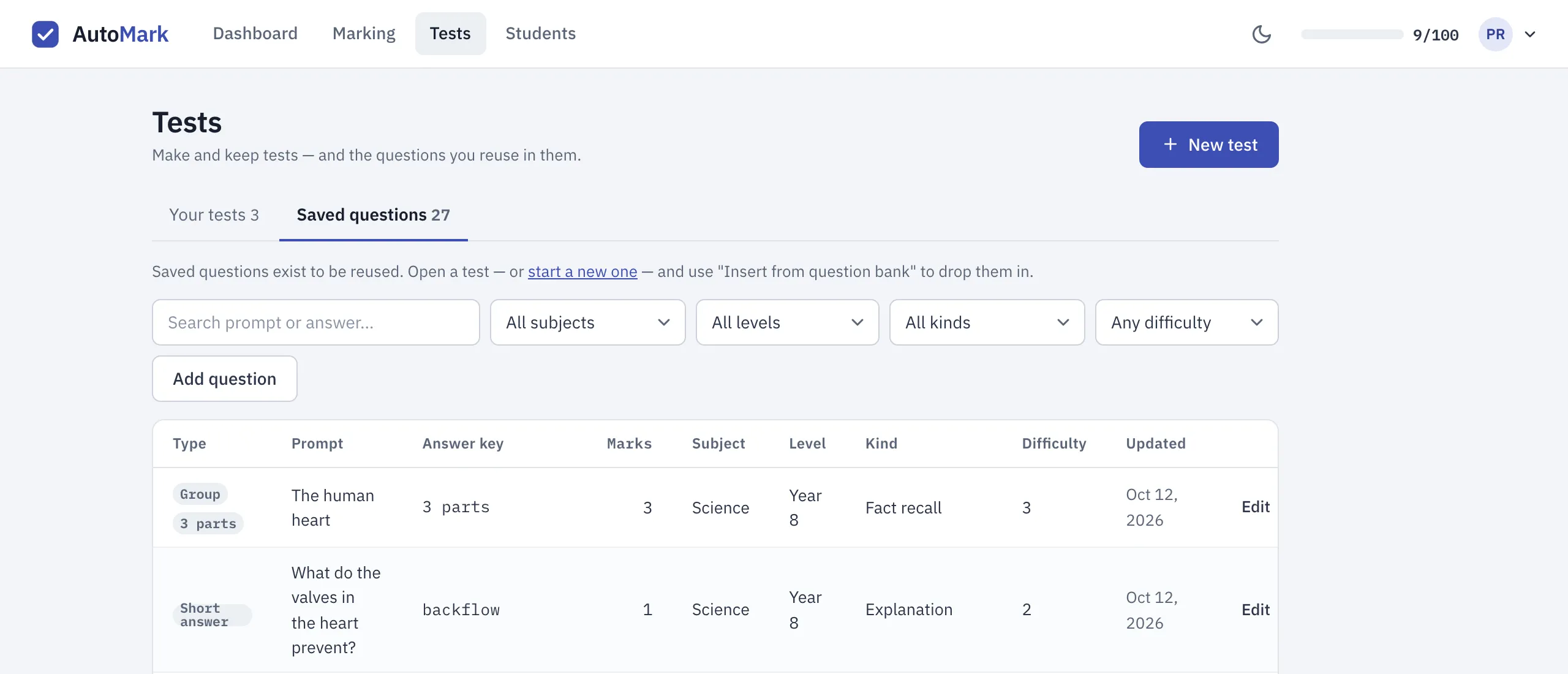
Saved questions is your question bank: your own collection of questions to reuse. You save a question once, with its answer key and marks, and the next time you build a test you insert it in a couple of clicks. It lives on the Tests page, in the Saved questions tab beside Your tests.
New accounts start with a set of sample questions across Maths, Science, English and HASS, so you can see how it works before you’ve saved anything. They’re yours to edit or delete.
How questions get into your question bank
Section titled “How questions get into your question bank”When you save a test you’ve typed in, AutoMarkHQ adds its questions to your question bank, labelled with the test’s subject. Each question is added once: saving the test again, or saving a test that contains a question you inserted from your bank, doesn’t add copies. When you save changes to a test you’re editing, AutoMarkHQ tells you how many questions it added. When you create a new test, the number beside Saved questions goes up instead. Tests built from a scanned paper aren’t added.
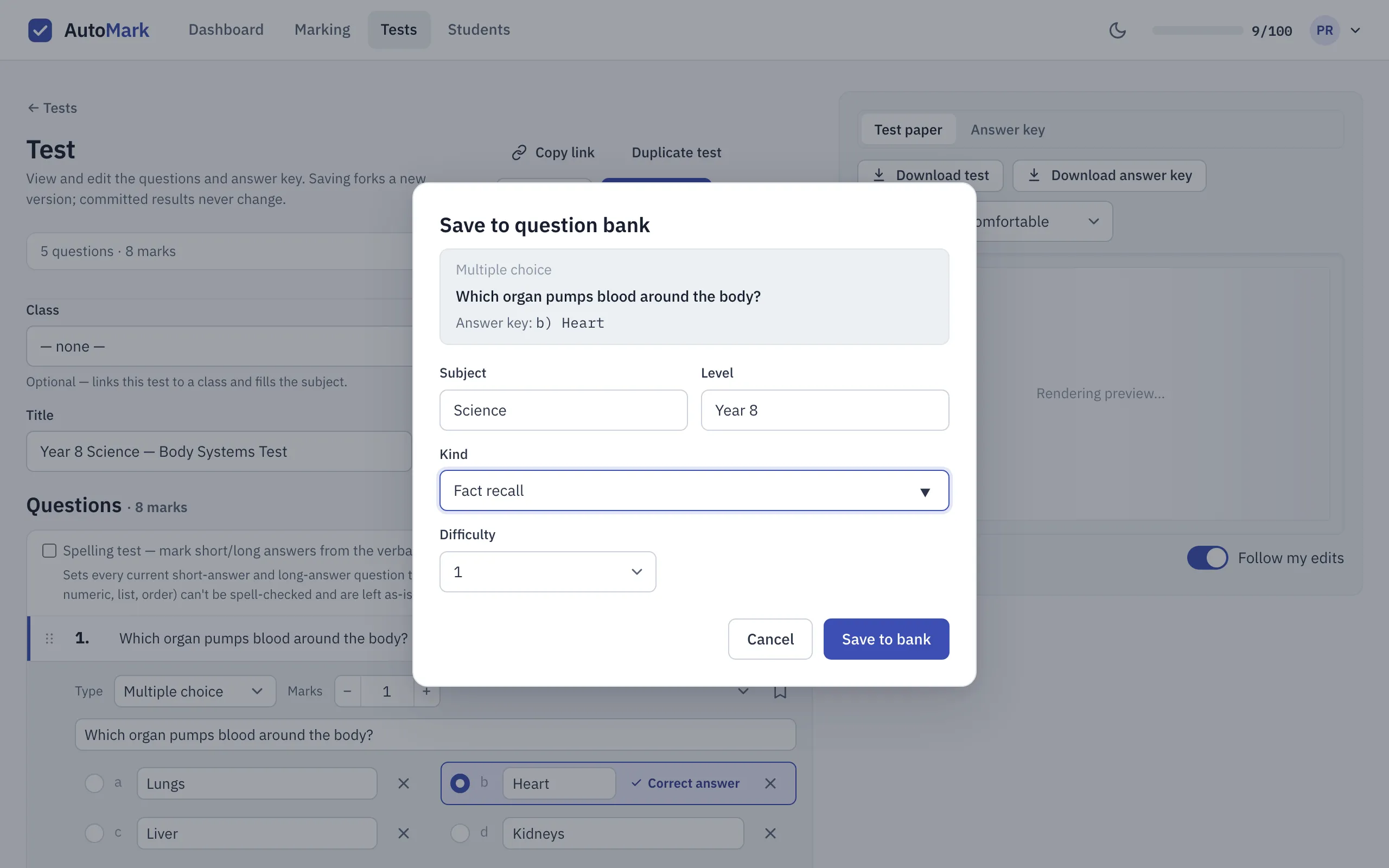
From a question’s row in the test builder. Open the question and select the bookmark beside its controls. You’ll see a preview of what will be saved and can add labels:
- Subject, filled in from the test;
- Level, such as Year 8;
- Kind, such as Fact recall or Word problem (type your own if none of the suggestions fit);
- Difficulty, from 1 to 5, or left unset.
Once a question is in your bank, its bookmark shows a tick instead.
With Add question on the Saved questions tab. This covers short answer, numeric and true/false questions. Multiple choice, tables, matching and questions with parts are built in a test first, then saved with the bookmark on their row.
Questions with parts stay together
Section titled “Questions with parts stay together”A table, a matching question, a fill-in-the-blanks sentence, a labelled diagram or any question with sub-parts is saved as one question, with all its parts. In your bank it shows its format, how many parts it has, and the total marks across them. When you insert it into a test it comes back whole, and you edit it there like any other question.
Using saved questions in a test
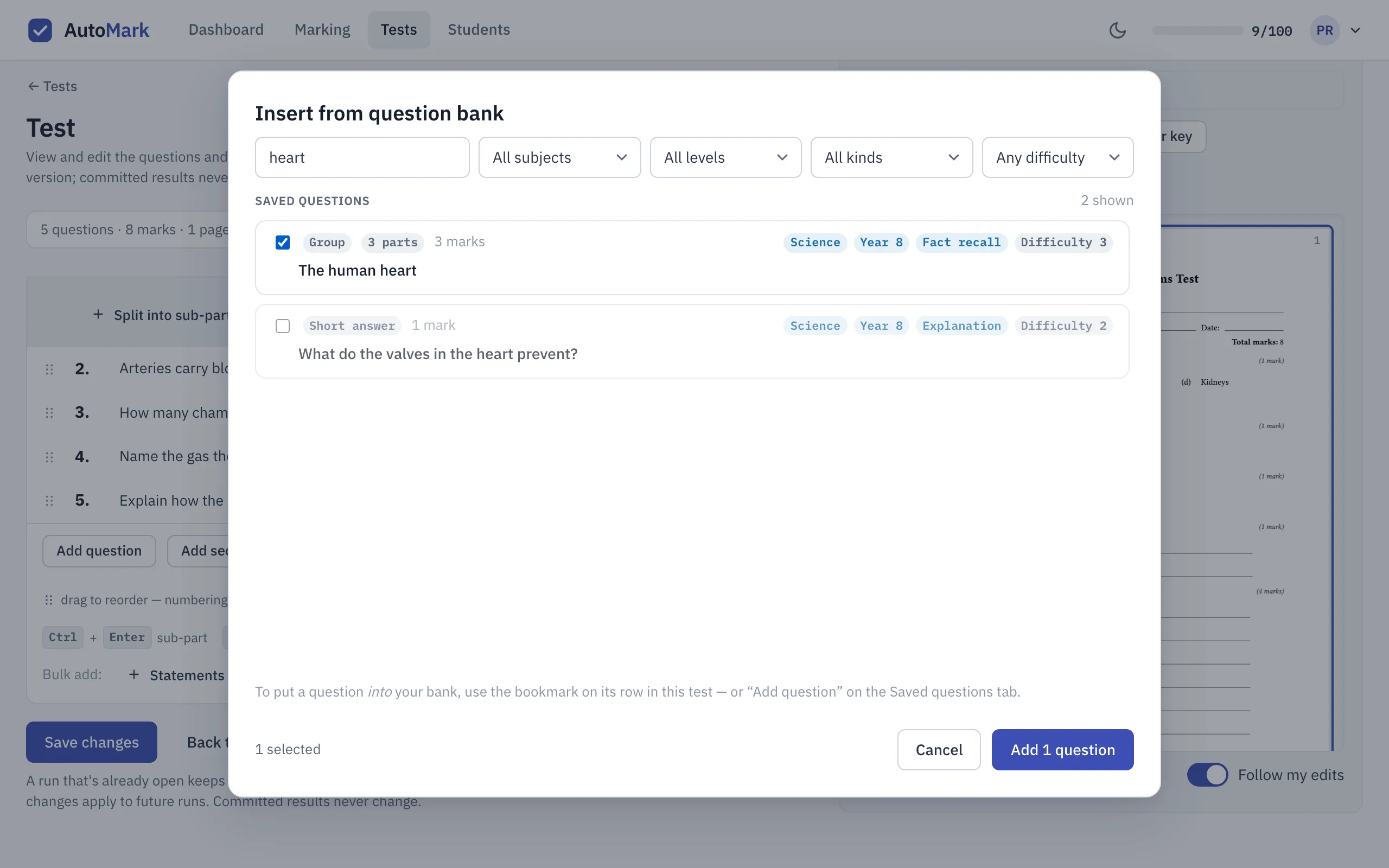
Section titled “Using saved questions in a test”In the test builder, choose Insert from bank… below the question list. Search by wording or answer, narrow the list by subject, level, kind or difficulty, tick the questions you want, then Add. They’re added to the end of your test.
An inserted question is a copy. Change it in this test as much as you like: the version in your bank and any other test that uses it stay as they were.
Keeping your question bank tidy
Section titled “Keeping your question bank tidy”On the Saved questions tab, Edit changes a question’s labels, and for a single question its prompt, answer key and marks. For a question with parts, only the labels can be changed there. To change its content, insert it into a test, edit it, and save that version from its row. Delete removes a question from your bank; tests you’ve already built with it aren’t affected. Edit and Delete sit at the far end of each row.
A few things worth knowing:
- AutoMarkHQ remembers which questions have been through your bank. A question you inserted, or one whose saved copy you’ve since deleted, keeps the tick on its bookmark, even after you edit it. To save its current version, duplicate the question in the test and save the duplicate.
- A sub-part saved on its own becomes a standalone question, without its group heading.
- If the same question is typed into two different tests and saved from each, you get two entries; AutoMarkHQ doesn’t merge them.