Lists, ordering and fill-in-the-blanks
Some questions want more than one answer: name three things, put these in order, fill in the missing words. The test editor has a question type for each. You write the key once, AutoMarkHQ prints the right answer space for it, and when it marks, it gives credit for each part the student got right. A list or ordering answer that earns only part of the marks comes to you to check, and nothing is recorded against a student until you commit the run.
To use one, open a question and choose List, Ordering or Fill in the blanks from its Type menu. Use a single answer instead turns it back into an ordinary short answer.
A list asks for several items on numbered lines: “Name the three states of matter.” Type one expected item per line. The paper prints one numbered line for each.
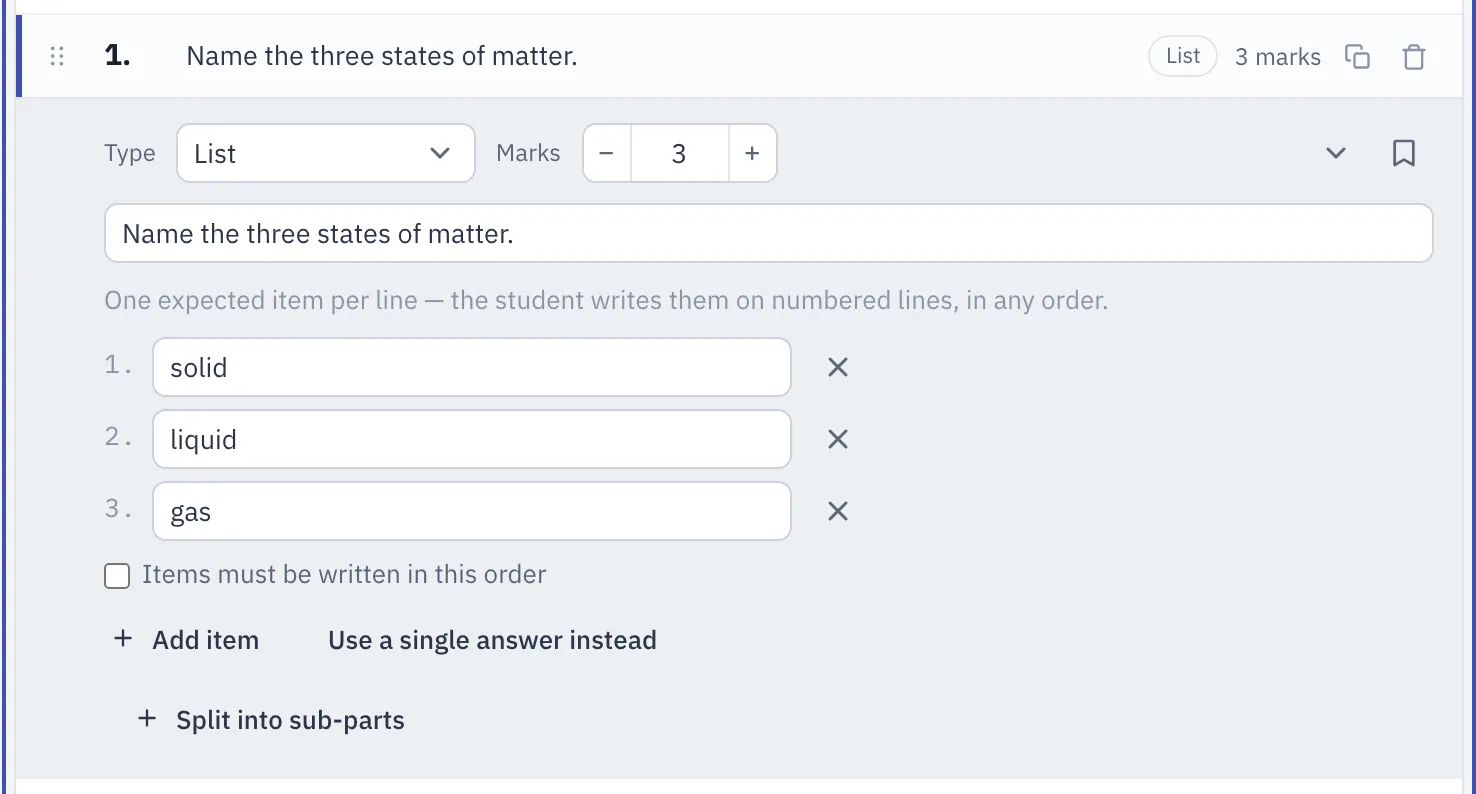
- Any order, unless you say otherwise. By default an item counts wherever the student writes it. Tick Items must be written in this order when the sequence matters.
- Each item is worth its share. A three-mark list gives a mark for each item the student got right.
- Part-right lists come to you. When a student gets some of the items, the review card shows which ones AutoMarkHQ matched and which it didn’t, beside a crop of what they wrote.
A list can also be one part of a multi-part question.
Ordering
Section titled “Ordering”An ordering question gives the student a set of items and asks them to put them in sequence: “Put the stages of the water cycle in order.” Type the items in the order you want them printed. Each one is lettered (a), (b), (c) and so on. Then give the correct order, either as letters in the Correct order box or by setting the number beside each item. The two stay in step, so use whichever is easier.
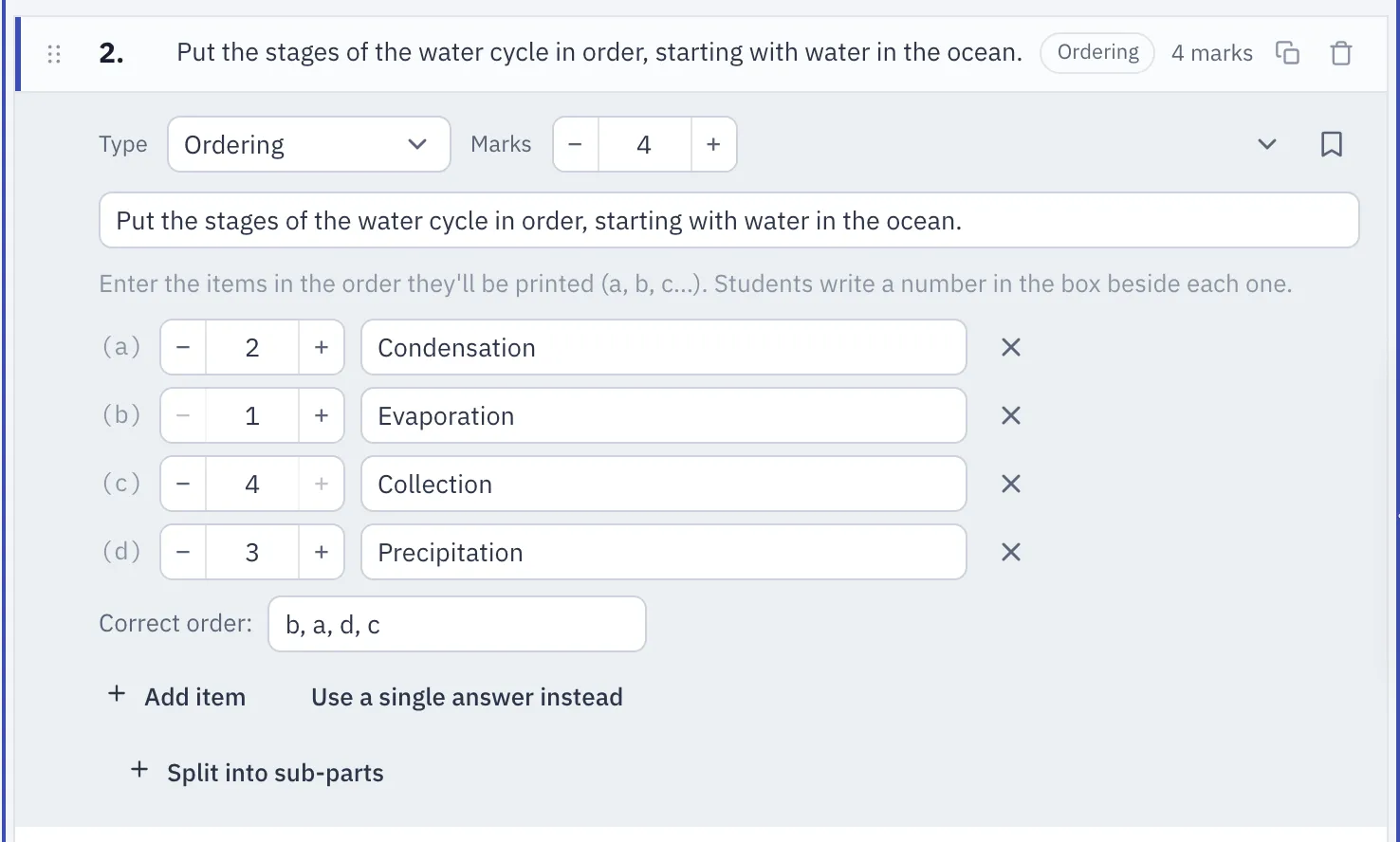
On the paper, each item has a small box beside it, and the student numbers the items 1, 2, 3 and so on in place. The items print in the same order on every version of the test, so a student’s numbers refer to the same items on every version.
- Full marks need every item in the right place.
- A partly right order comes to you. AutoMarkHQ suggests a part mark and puts the answer in your review. Its part marks follow a strict rule and can be lower than you would give when an early item is out of place. Treat the suggestion as a starting point and change it if you’d award more.
- Numbers that don’t make a clean sequence come to you unmarked. That covers a box left empty, the same number used twice, or a number skipped. AutoMarkHQ doesn’t guess what the student meant. It shows you the crop and lets you decide.
Fill in the blanks
Section titled “Fill in the blanks”A fill-in-the-blanks question prints a sentence with words missing, and the student writes each missing word into its gap. Write the whole sentence and put each answer in double braces:
When water {{evaporates}}, it changes from a liquid into a {{gas}} called water {{vapour}}.
The editor lists the blanks it found as you type. A question needs at least two blanks, and every pair of braces needs a word inside it.
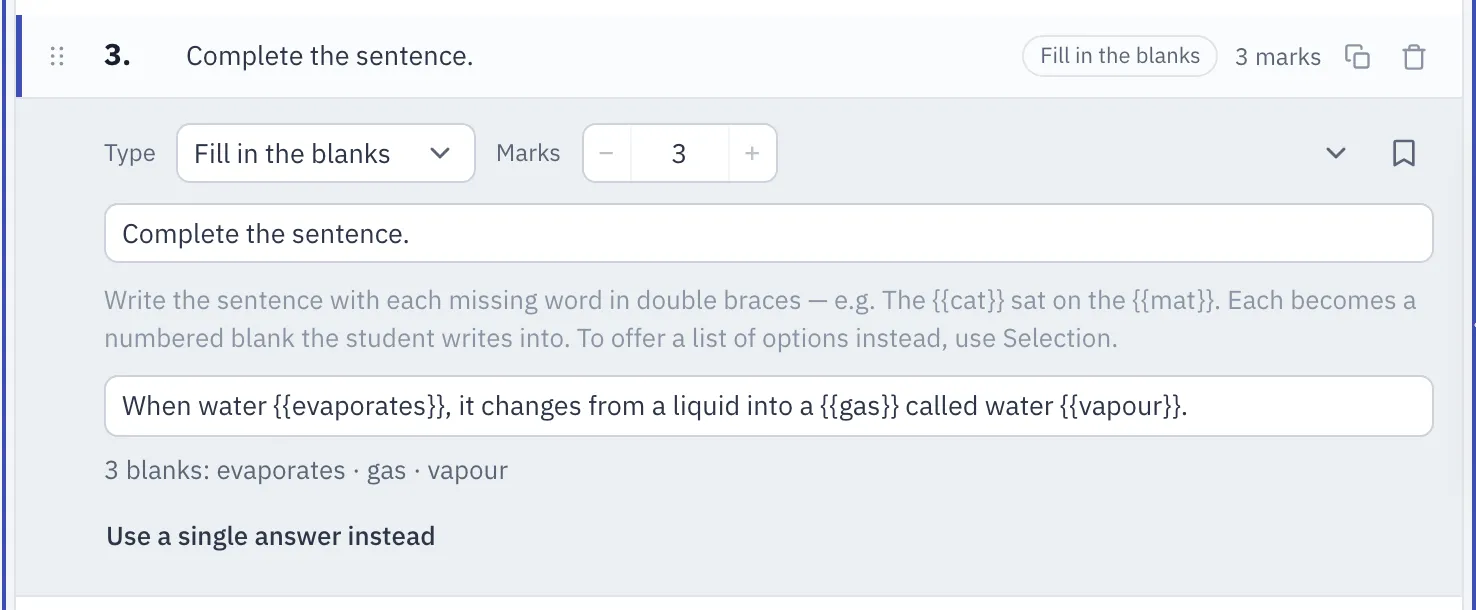
- On the paper, each braced word is replaced by a numbered gap in the sentence. The printed answer key shows each answer in its gap.
- Each blank is worth one mark and is marked on its own. The question’s total is the number of blanks.
- Each blank is checked separately. If AutoMarkHQ wants you to look at more than one blank, each gets its own card in review, with a crop of that part of the paper. A sentence with many blanks can add several cards. If that’s more checking than you’d like, split a long sentence into two questions.
Fill in the blanks is not Selection. Both use double braces, but they do opposite things. In Fill in the blanks, the braced word is hidden and the student writes it. In Selection, the braced word stays on the paper, boxed, and the student writes the letter of the option that best replaces it. If you want a blank, choose Fill in the blanks.
Bulk add: statements and prompts
Section titled “Bulk add: statements and prompts”Under the question list, Bulk add lets you type a whole set of short questions at once and adds them as one multi-part question.
- Statements block builds a set of true/false statements. Write one statement per line,
ending in
= Tor= F(= trueand= falsework too). - List with prompts builds a set of short answers, one per line, written as
prompt = answer. For example:Capital of France = Paris.
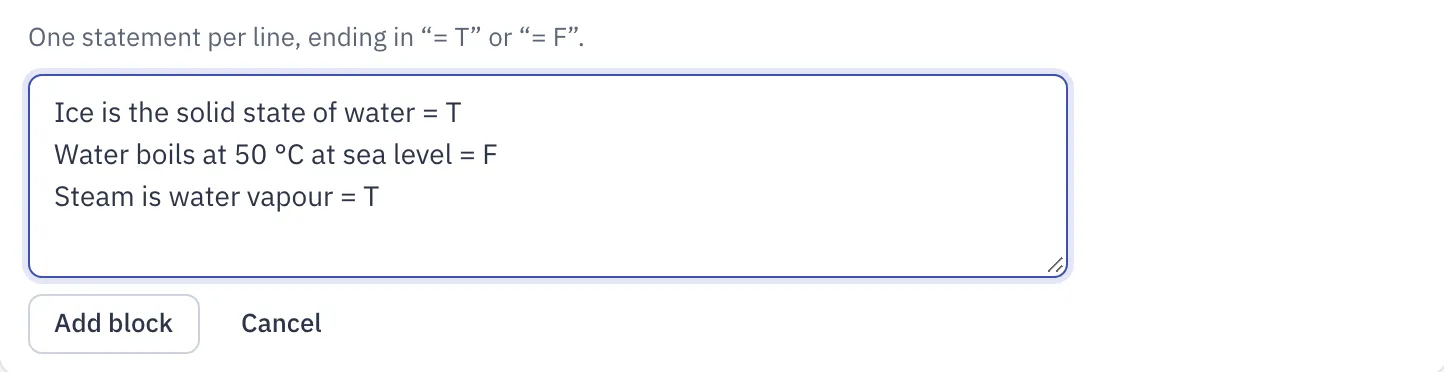
Each line becomes a part worth one mark, and you need at least two lines. If a line can’t be
read (no =, or an answer that isn’t T or F), the editor tells you which line before
anything is added. Once added, the question is an ordinary multi-part question, so you can
edit or remove its parts like any other.
When the exact spelling matters
Section titled “When the exact spelling matters”When AutoMarkHQ reads handwriting, it can tidy a misspelled word into the correctly spelled one, so the text on a review card may not be letter-for-letter what the student wrote. That matters most in a fill-in-the-blanks question or a list where spelling is part of what you’re marking. In those cases, go by the crop of the paper rather than the text beside it. The crop shows exactly what the student wrote, and the mark you commit is the one that counts.
Related
Section titled “Related”- Matching, Selection and Checklist questions: the letter-answer question types, including Selection
- The review queue: checking the answers AutoMarkHQ flagged
- Your first test: writing and printing a test